|
By Bill Hely
"How Safe is Your Success"
is a series of eight articles that address different aspects of a universal
problem which is of particular importance to those who do business on-line.
Most Internet users are at least aware there are dangers "out there", but
few appreciate the real extent of those dangers, the possible (even likely)
consequences, or the best, most practical and least expensive means of
countering them. This series is intended to at least provide some useful
awareness of the situation.
-------------------------
Part 4 - Adware and Spyware
In Part 3 of this series I stressed
the importance of having an anti-virus package installed on your PC, and
the extreme importance of keeping it current with updates from the publisher
of the package. Unfortunately, many people who do appreciate the need for
such precautions fail to make an important distinction - one which leaves
them exposed to threats they mistakenly believe they are protected against.
You see, while a good anti-virus
program can detect and deal with many variations on the virus/trojan/worm
theme, it can't handle all variations. An anti-virus program is a good
start, but you can't stop there. Into your defensive line-up you must add
a few more specialized scanner-type programs to catch some of the threats
the anti-virus program can't handle.
It is beyond the scope of
this short article to delve into the differences between virus, trojan,
worm, adware and spyware - nor is an understanding of the characteristics
of each necessary in order to effectively combat them. For the more curious
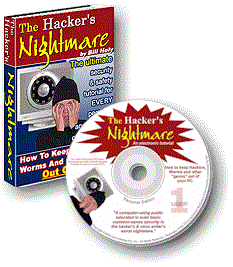
reader, my book "The Hacker's Nightmare" deals with all threat types in
some detail. It is however important to appreciate that:
(a) All variations
are extremely prevalent;
(b) There are differences
between each type of threat;
(c) There can be further
(sometimes significant) variations within each category;
(d) There is no single
antidote that will protect you against all of the above.
You may recall from Part
3 of this series that, for the average home and small business computer,
I generally recommend against the all-in-one security suites that purport
to protect you from a multiplicity of threats, so in that context point
(d) above is a valid observation. My reasons for that recommendation were
presented in the previous part in this series.
Don't worry! The fact that
we need several somewhat similar programs in our arsenal isn't going to
impact the bank balance to any significant degree. As I pointed out in
the previous article, many of the very best solutions in this threat category
are quite free, and even those that aren't are usually very inexpensive.
That's even more fortunate than it at first seems. While the programs I
use and recommend are extremely effective, they aren't perfect. Sometimes
you need to install two competing programs of the same type, because often
one will catch intrusions that the other won't, and vice versa. These programs
are invariably quite small and don't place any significant load on the
computer, so the extra protection is very worthwhile. A good example of
this multi-application recommendation is adware/spyware detection.
Until very recently the usual
recommendation from "those in the know", myself included, was to install
two anti-adware scanners: Spybot-S&D and LavaSoft AdAware. Why two?
Well, it has been observed over time that no single anti-adware application
would ever detect all the infestations of this class that could be lurking
on a PC. Those two programs were widely considered to be the best of their
type, and together would detect the vast majority of adware problems.
I have no doubt that those
were once well founded assumptions --- but things have changed. Adware
has become more sophisticated, new detection software has appeared, and
some of the "old faithful" developers have failed to keep pace.
It wasn't until quite recently
that a qualified independent undertook to conduct thorough head-to-head
testing of all the major anti-adware scanners. Eric Howes of the University
of Illinois compared and tested more than 20 of the most popular and best
respected anti-adware applications, against hundreds of adware threats,
and the results took a lot of us by surprise.
AdAware SE came in 3rd and
Spybot-S&D was equal 7th. Not too bad, you might think, for a couple
of free programs, but the disturbing thing was the actual detection figures.
Spybot detected a mere 33% of the hundreds of adware components tested
for, and AdAware didn't fare much better at 47%. Those two combined, a
combination that is usually recommended, could only come up with 54% of
the total infections.
This is not the place to
discuss the findings in depth, but I do need to give you new recommendations
based on Howes' research.
Giant AntiSpyware had a detection
score of 63% and Webroot Spy Sweeper was next best with 48%. Combined they
had a rate of 70%, by far the best of any possible combination of two packages.
Giant Software was acquired
by Microsoft in December 2004 and their version of the software that was
tested by Howes is now called Microsoft AntiSpyware. At this time it is
a free download. Webroot is a commercial product, but very inexpensive.
Microsoft AntiSpyware http://HackersNightmare.com?res=MSAS
Webroot Spy Sweeper http://HackersNightmare.com?res=WebRootSS
[ Some of the detection percentages
quoted above were compiled from Eric Howes' raw data by Brian Livingston,
Editor of "Windows Secrets" newsletter, one of the subscriptions I have
long recommended in "The Hacker's Nightmare". You can subscribe at: http://www.WindowsSecrets.com
]
All such software provides
a number of configuration options and, as you may remember from the anti-virus
article, if configuration options are offered you should take that as a
strong indication that you won't get the most out of the application until
you set those options.
Like your anti-virus program,
it is extremely important that both Microsoft AntiSpyware and Webroot Spy
Sweeper are updated regularly with new database information from their
respective websites.
The strength of applications
like those just discussed is that they are very good at finding, identifying
and eliminating certain types of nasties that have found their way into
your computer - threats that your anti-virus program is probably not designed
to detect.
There is another very important
tool in this category that I always have installed on my PC's. Called SpywareBlaster
from Javacool Software, this utility does not scan for and clean out spyware
- rather, it's job is to preventing such threats from ever getting installed
in the first place.
SpywareBlaster is available
in a free version for non-commercial use, but I do not recommend the free
edition even if you do qualify. Like the other applications we have discussed,
SpywareBlaster must be regularly updated. While the free version can be
*manually* updated at any time, it has no provision for auto-updating.
For a paltry US$9.95 per annum licence fee, you can have the very significant
advantage of scheduled auto-updating. Remember, such applications are only
as good as their last update, and you certainly don't want to be relying
on old data for your protection.
http://HackersNightmare.com?res=SpywareBlaster
By the way, do you have a
friend or three who would benefit from this series? Why not eMail them
right now and recommend they go straight to http://HackersNightmare.com
and subscribe to the series themselves.
In the next part we'll look
at a threat that is becoming very commonplace and which can cost you dearly
- the so-called "phishing" scams.
-------------------------
Bill Hely is a technologist,
consultant and author living in Brisbane, Australia. For most of the last
two decades his professional focus has been on advising and supporting
small business operators in Information Technology and Office Productivity
issues — and rescuing them when they didn't heed his advice the first time
around. He is the author of several books on technology for the business
operator, including the Bible of Internet and computer security "The
Hacker's Nightmare". For more information on this must-read tutorial
and reference visit: http://HackersNightmare.com
|